Create Bulk Object Type Associations
Creates Object Type Associations in bulk between multiple parent and child Object Types. This lets you link related Object Types, such as many students with both their parents.
Note: The total number of links created is parents × children, not the sum (i.e., not parents + children). For example, 50 parents and 50 children create 2,500 links. The default per-request limit is 200, and requests exceeding this limit are rejected.
API URL
URL

POST
https://{host}/v2/LeadTypes.svc/LeadTypeAssociation/Create?accessKey=AccessKey&secretKey=SecretKey
Request
Content-Type: application/json
JSON Body/Payload
{
  "ParentLeadId": [
    "79e04544-5e48-4328-8e2c-767f9cda4e17",
    "88d83257-31c1-401a-9ef5-63ecc49a7659"
  ],
  "ChildLeadId": [
    "46efe0e0-326f-4557-988a-da9bb3136194",
    "c75c0c61-a7c9-4525-af2e-a42a4f65db18",
    "fa801dd5-925b-44b4-9f27-a00ff7d0fca4"
  ],
  "ParentLeadType": "OT_0",
  "ChildLeadType": "OT_1",
  "AssociationFieldSchemaName": "LeadTypeAssociation_OT_0_OT_1"
}
Request Parameters
| Parameter | Description |
|---|---|
| ParentLeadId | Pass the Lead Ids for the Parent Object Types. To obtain this, refer to the Get Lead by Email API or Get Lead by Phone API. The |
| ChildLeadId | Pass the Lead Ids for the Child Object Types. To obtain this, refer to the Get Lead by Email API or Get Lead by Phone API. The |
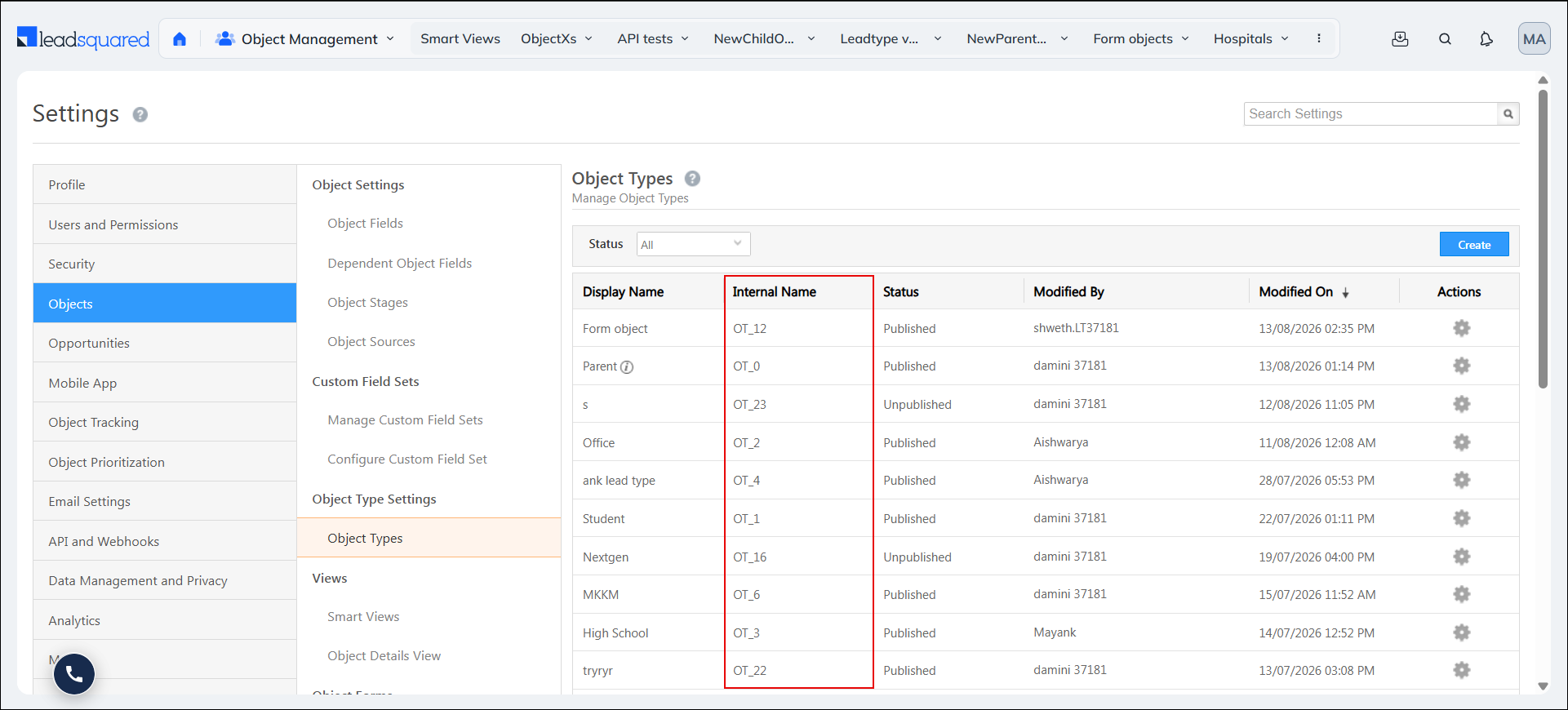
| ParentLeadType | Pass the Internal Name for the Parent Object Type.
|
| ChildLeadType | Pass the Internal Name for the Child Object Type.
|
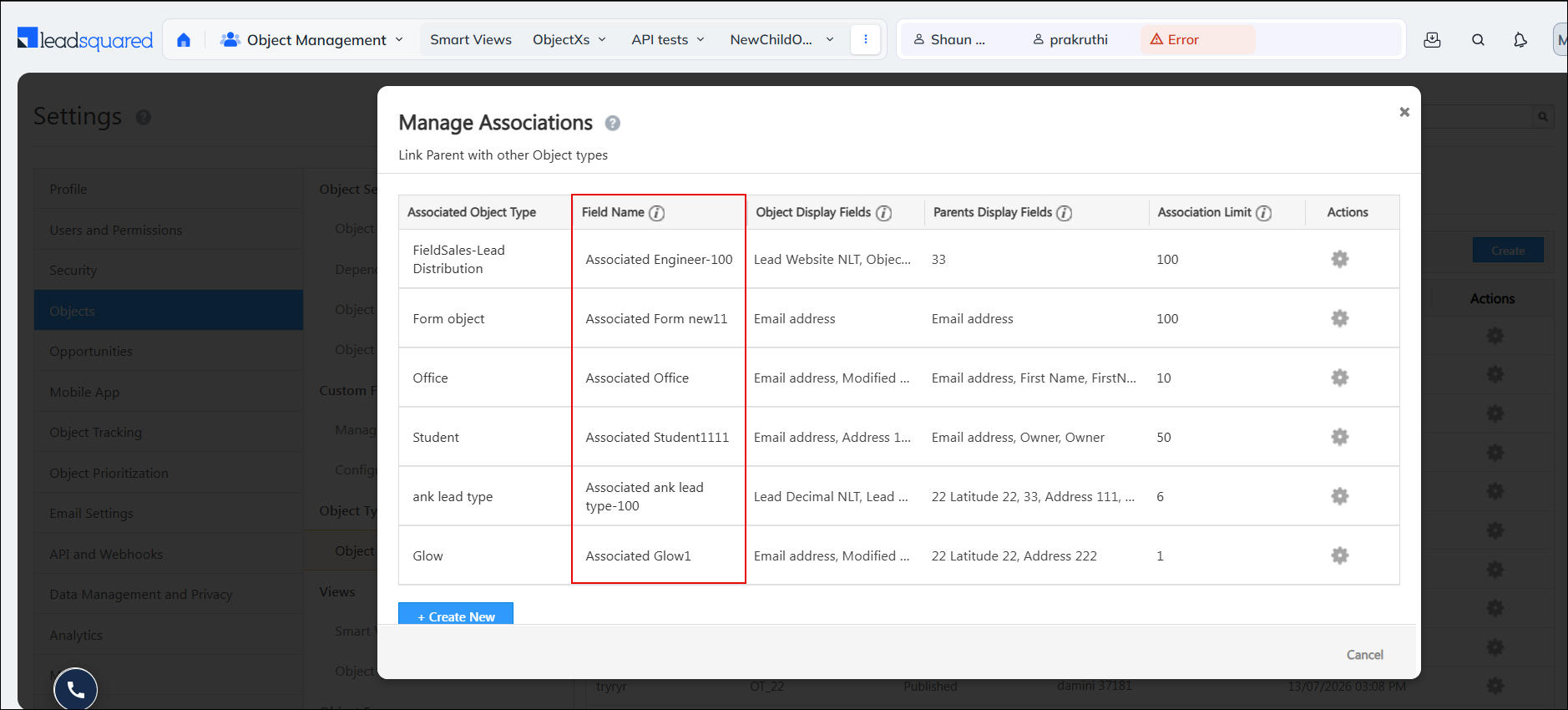
| AssociationFieldSchemaName | Pass the schema name of the Parent Object Type’s Associated Field Name. To get this value, call Get Object Types Associations and use the
|
Response
200 OK
Content-Type: application/json
{
    "Status": "Success",
    "Message": {
        "IsSuccessful": true
    }
}
HTTP Response Codes
| Code | Description |
|---|---|
| 200 OK |
This is the status code for successful API call. |
| 401 Unauthorized |
The API call was made with invalid access credentials. Check your AccessKey and SecretKey. |
| 400 Bad Request |
The message body on the request is not as per API specification. Make sure that content type is set to “application/json” and the JSON body has correct attribute names and structure. |
| 404 Not Found |
The API could not be found. Please check the API signature. |
| 429 Too Many Requests |
API calls exceeded the limit of 25 in 5 second(s) |
| 500 Internal Server Error |
The API called failed. There could be many reasons for it. Check the exception message to get more details. |