Get Ticket Fields Metadata
Retrieves the metadata for a ticket field.
Note: This API can only be passed by Admin users.
Prerequisite
Before you pass this API, the API Configurations setting must be enabled on your account. To do this –
- On your LeadSquared account, navigate to My Profile>Settings>Service Cloud, and click API Configurations.
- Alongside Enable API, enable the slider
 .
.
- Alongside Enable IP Whitelisting, enable the slider and add the IPs you want to whitelist. This is optional.
- Once you’re done, click Save.

To obtain the tenantID, after logging into your LeadSquared account, click the My Profile icon.
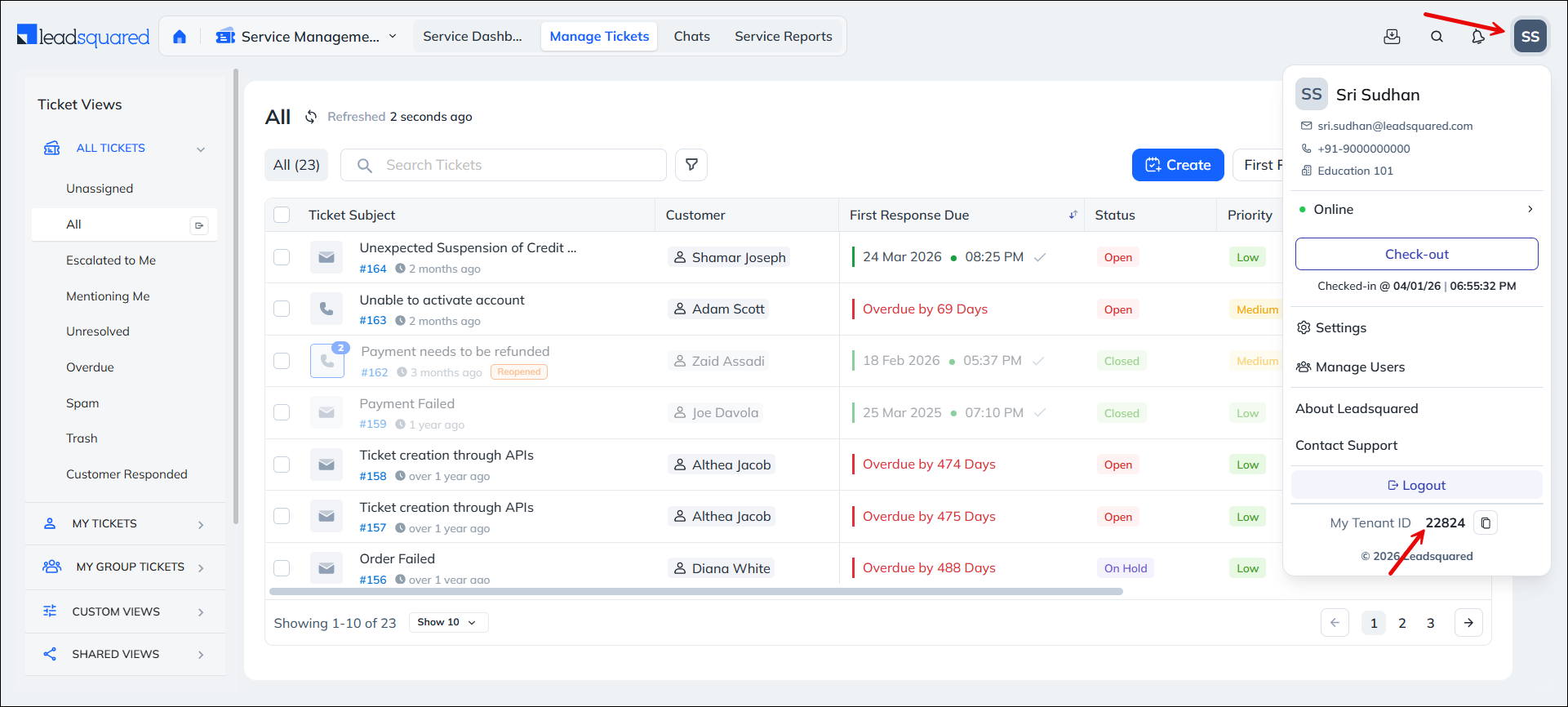
Note: To obtain the host API URL, contact your account manager, or write to scsupport@leadsquared.com.
Pass the following mandatory API headers –
- X-LSQ-ACCESS-KEY – <AccessKey>
- X-LSQ-SECRET-KEY – <SecretKey>
API URL
URL

POST
https://api.service-in.leadsquared.com/api/tenants/{{tenantID}}/ticket-types/1/fields/filter
Request
Content-Type: application/json
JSON Body/Payload
{
    "Limit": 25,
    "Offset": 0,
    "SearchText": "Status"
}
Request Parameters
| Parameter | Description |
|---|---|
| Limit | For example, if you have fields named Loan Number 1 and Loan Status, and you search for “Loan”, you get two results. |
| Offset | The order of records you want to fetch. If you pass 1 and the Limit is 25, the system fetches records 1 to 25. |
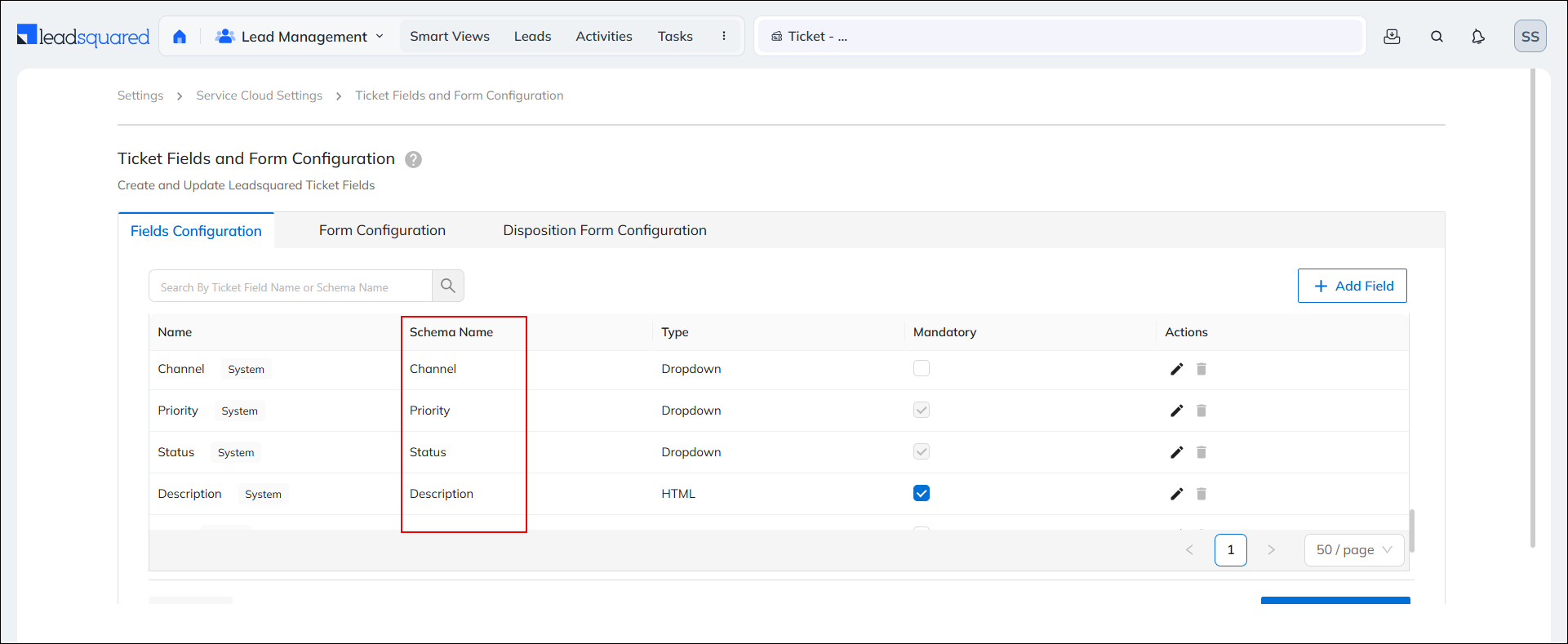
| SearchText | The schema name of the ticket field for which you fetch metadata.
|
Response
200 OK
Content-Type: application/json
{
   "Total":1,
   "TicketsFields":[
      {
         "Id":4,
         "RelatedTicketCategoryId":1,
         "DisplayName":"Status",
         "SchemaName":"Status",
         "DataType":"Select",
         "RenderType":"Dropdown",
         "EntityType":null,
         "DefaultValue":null,
         "Sequence":3,
         "RelatedLookupId":1,
         "ShowInQuickSearch":false,
         "CreatedBy":"seeddata",
         "CreatedOn":"2024-01-09T10:48:07",
         "ModifiedBy":null,
         "ModifiedOn":"2024-01-09T10:49:18.595",
         "AllowAutoUpdateToOptions":false,
         "LockAfterCreate":false,
         "ParentSchemaName":null,
         "ShowInForm":true,
         "CustomObjectId":null,
         "Version":null,
         "Description":"Status of the ticket",
         "FieldType":"standard",
         "Active":true,
         "Deleted":false,
         "ValidationProperties":{
            "NumScale":2,
            "Regex":"",
            "IsMandatory":true,
            "MinValue":-2147483648,
            "MinLength":1,
            "MaxValue":2147483647,
            "MaxLength":200
         },
         "UseInSla":false,
         "BindingParameter":"Status",
         "Cacheable":true,
         "ReferenceMap":{

         },
         "ReferenceActivityEvent":null,
         "ReferenceType":null,
         "AiEnrichmentEnabled":false,
         "EnrichmentConfig":{

         },
         "IsEditable":false,
         "IsSearchable":true,
         "IsUnique":false,
         "IsDefault":true,
         "IsSortable":true,
         "IsBasicSearchable":false,
         "IsDisabled":false,
         "IsReferenceField":false
      }
   ]
}
HTTP Response Codes
| Code | Description |
|---|---|
| 200 OK |
This is the status code for successful API call. |
| 401 Unauthorized |
The API call was made with invalid access credentials. Check your AccessKey and SecretKey. |
| 400 Bad Request |
The message body on the request is not as per API specification. Make sure that content type is set to “application/json” and the JSON body has correct attribute names and structure. |
| 404 Not Found |
The API could not be found. Please check the API signature. |
| 429 Too Many Requests |
API calls exceeded the limit of 25 in 5 second(s) |
| 500 Internal Server Error |
The API called failed. There could be many reasons for it. Check the exception message to get more details. |